5 Things to Consider when Choosing a Data Collection App

5 Things to Consider when Choosing a Data Collection App

|

Mobile data collection can revolutionize your business model and advance your information processing to new heights. With access to the data you need to adequately inform your internal and external practices, there is no limit to what your business can do with the support of mobile data collection. However, finding the right data collection app is not always easy. Here are five considerations that will help you select the right data collection app. 

The partnership between data collection and data analytics offers the complete package you need toacquire data-driven insights. The data-fueled benefits for your business are stunted when you do not have the tools you need to understand and act on the information it provides. Partnering with a data collection app that has internal analytic capabilities will help you turn your data into actionable insights. With the help of analytics, you can spot trends in your business, create alerts for negative trends or outliers, and run your business on data-driven decisions vs. hunches or anecdotal evidence. 

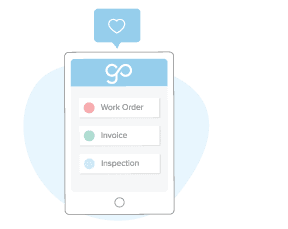
Does the data collection app you are considering offer templates that align with your specific business needs? This can help you save time on building out new forms, and gives you a starting point. From there, you should be able to customize and adapt the templates. Check out these pre-built templates for an idea of how data collection templates might serve your industry:

This is just a brief look into how a mobile application (and the templates it encompasses) can benefit your company’s data collection processes. 

Beyond the extent of templates, your data collection app should be able to expand in scope and offer the ability to customize it – on your own – without needing to know coding. This capability allows you to tailor data input fields in order to capture the information that is more relevant to your business. There is no limit to what your business can do with dynamic, custom capabilities in a data collection application.

With a mobile data collection app, you can access your company’s data from almost anywhere. However, this accessibility is only beneficial if the app is easy for you and your workers to adopt and use. Partner with a system that has an intuitive configuration, attentive customer support, and an abundant amount of resources for you to use. An easy-to-use system will also make it less painful to get workers and staff to embrace the new technology.  

Highly advanced features within your data collection app can widen the scope of data you can collect. With mobile data collection, you can access features such as dispatch, workflow, image capture, signature capture, mobile payments and more. 

Try GoCanvas for free today! This data collection app includes all of these top industry templates, robust features, and so much more. Digitally convert your paper processes to save your business both time and money. Sign up for free today to get started!

About GoCanvas

GoCanvas® is on a mission to simplify inspections and maximize compliance. Our intuitive platform takes care of the administrative tasks, freeing our customers to focus on what truly matters – safeguarding their people, protecting their equipment, and delivering exceptional quality to their customers. 

Since 2008, thousands of companies have chosen GoCanvas as their go-to partner for seamless field operations.

Check out even more resources

Two people in an office looking at a tablet.

Improving Your Operations with Field Service Management Software

Whether you have two or 200 employees, your business’ success depends on their hard work. Passionate, motivated team players are the difference between…

Two people in hard hats looking off camera.

Should You Connect Field Service Management Software with QuickBooks?

Field service management software has shown to increase productivity both for employees in the field and operations teams in the office. You may be wondering how field service…

Person in safety vest smiling.

How the Best Field Services Businesses Use Mobile Apps

Mobility and field service: the talk has been happening forever. The idea that real-time information improves customer service and boosts technician productivity is changing…


Connect with an Expert Today.

We’ll help you put together the right solution for your needs.

GoCanvas Named to Deloitte’s 2019 Technology Fast 500™

GoCanvas Named to Deloitte’s 2019 Technology Fast 500™

Reston, VA. November 7, 2019 — GoCanvas today announced it ranked 393 on Deloitte’s Technology Fast 500™, a ranking of the 500 fastest growing technology, media, telecommunications, life sciences and energy tech companies in North America. GoCanvas grew 239% during this period, making the Fast 500™ list for the third year in a row.

GoCanvas’s Chief Executive Officer and Co-Founder, James Quigley, credits the company’s focus on customer satisfaction and its unique approach to simplifying business workflow and data collection opportunities for the company’s 239% revenue growth. He said, “We are just scratching the surface in terms of our evolution from delivering features that aid in mobile data collection to unlocking further value from this data to become a full system of record for our customers.”

“This year marks the 25th anniversary of Deloitte’s Technology Fast 500, so we are especially pleased to announce and congratulate the 2019 winners,” said Sandra Shirai, vice chairman, Deloitte LLP, and U.S. technology, media and telecommunications leader. “Once again, we saw innovation across the board, with software companies continuing their dominance of the top ten. It’s always inspiring to see how the Fast 500 companies are transforming business and the world we live and work in.”

“As technology innovation trends towards ‘everything as a service,’ it’s no surprise that software companies dominate the winners list yet again this year,” said Mohana Dissanayake, partner, Deloitte & Touche LLP, and industry leader for technology, media and telecommunications, within Deloitte’s audit and assurance practice. “What’s exciting about celebrating 25 years of the Tech Fast 500 is we now have a quarter century of innovation stories to draw and reflect upon. These are the companies that push boundaries, help organizations become more efficient and productive, and ultimately enable businesses to drive growth and revenue. We congratulate all the well-deserving winners.”

About Deloitte’s 2019 Technology Fast 500™

Now in its 25th year, Deloitte’s Technology Fast 500 provides a ranking of the fastest growing technology, media, telecommunications, life sciences and energy tech companies — both public and private — in North America. Technology Fast 500 award winners are selected based on percentage fiscal year revenue growth from 2015 to 2018.

In order to be eligible for Technology Fast 500 recognition, companies must own proprietary intellectual property or technology that is sold to customers in products that contribute to a majority of the company’s operating revenues. Companies must have base-year operating revenues of at least $US50,000, and current-year operating revenues of at least $US5 million. Additionally, companies must be in business for a minimum of four years and be headquartered within North America.

About GoCanvas

GoCanvas’s passion is building mobile products that enable businesses to digitize information and be more responsive to their customers. The cloud-based, customizable app works on smartphones and tablets, empowering SMB customers to digitally collect data and realize its value in improving workflow, communications, and operational processes.

GoCanvas is trusted by thousands of businesses throughout 70 countries, automating millions of workplace activities, making it one of the fastest-growing mobile platforms in the world. Most recently, the company has been named as a “Best Place to Work” by Washingtonian Magazine, Washington Business Journal, and Inc. Magazine and has landed on the Deloitte Fast500 list in 2017 and 2018. To learn more, visit beta.gocanvas.com.

About Deloitte

Deloitte refers to one or more of Deloitte Touche Tohmatsu Limited, a UK private company limited by guarantee (“DTTL”), its network of member firms, and their related entities. DTTL and each of its member firms are legally separate and independent entities. DTTL (also referred to as “Deloitte Global”) does not provide services to clients. In the United States, Deloitte refers to one or more of the US member firms of DTTL, their related entities that operate using the “Deloitte” name in the United States and their respective affiliates. Certain services may not be available to attest clients under the rules and regulations of public accounting. Please see www.deloitte.com/about to learn more about our global network of member firms.

About GoCanvas

GoCanvas® is on a mission to simplify inspections and maximize compliance. Our intuitive platform takes care of the administrative tasks, freeing our customers to focus on what truly matters – safeguarding their people, protecting their equipment, and delivering exceptional quality to their customers. 

Since 2008, thousands of companies have chosen GoCanvas as their go-to partner for seamless field operations.

Check out even more resources

business people discussing project

Gown Your Business with GoCanvas Partner Program

Join our Partner Program and gain instant access to our global network of thought leaders and industry experts enjoying shared collaboration and collective success.

Forte Supply Chain Solutions Partner Video

Partner Snapshot: Forte Supply Chain Solutions

Explore how Forte Supply Chain Solutions partnered with GoCanvas, combining in-house industry expertise with our white-label mobile forms to revolutionize their processes.

Closeup of a handshake.

GoCanvas Integrations: Streamline your Workflow

Integrate with over 1,000 software applications. Enhance your GoCanvas experience by syncing real-time data to one or all of your business tools.

Connect with an Expert Today.

We’ll help you put together the right solution for your needs.

Why Use a Mobile Forms App for your Construction Business

Why Use a Mobile Forms App for your Construction Business

| |

The construction industry is competitive, but with the right productivity tools, you can help your company stay ahead. With the current construction trend of rapidly adopting digital processes, a mobile forms app may be the digital boost that your construction business is missing. Learn more here about how a mobile forms app can help your construction company thrive. 

Eliminate the communication gap that exists between your employees in the office and those in the field. Using a mobile forms app, you can easily dispatch important information and forms such as work/service/repair orders, as well as other documents to and from the office, directly to your field tech’s mobile device. This ease of communication makes your team more efficient and can improve your company’s overall productivity. It also means your techs spend a lot less time driving to and from the office. 

Bring your documents with you wherever you go without the fear that they may be lost or damaged on the job site. This includes your audits, work orders, bids, estimates, checklists, proposals, FLHA’s and more – all of which are available right from your mobile device.  With digital processing and mobile sharing, you never have to worry about another misplaced form again. 

Are you looking for a better way to document your work on the job site? By enabling photo capture on your mobile forms app, you can add images directly onto your document. Your descriptions can now be accompanied by an internal picture, helping you better describe construction achievements, progress, issues, and more. Attach an image directly to your forms for reference and clarity to eliminate the time spent on questions and confusion.

Getting contract signatures has never been easier with a mobile forms app. These apps allow you and the client to sign and save directly through the program. Whether you are working with a subcontractor, a third party entity, or directly with the customer, you can get your forms and documents signed and saved through your mobile device. 

Mobile form conversion can help you keep track of the files and paperwork that your construction company produces. You will never again lose or damage important paperwork in the shuffle of a high-paced construction job. This digital conversion also helps you eliminate clarity issues that messy handwriting can cause. Easily keep track of new and old customers and manage your growing business with ease when you take advantage of the organizational capacity that mobile forms provide. 

You can also easily organize your internal processes with construction checklists. Systemize your tasks and your team’s workload with team-wide calendars. This can help you streamline your workflow and ensure nothing important gets forgotten. 

Safety audits are a lengthy but important element of the construction process. With mobile forms, audits such as the popular Safety Inspection – Lockout and Tagout App can be quickly filled out right from a mobile device, edited, saved, and shared with all necessary parties. If a problem is spotted, the inspection can include photos, GPS location, detailed notes and sent immediately to the person or group responsible. This eliminates the trouble that paper safety audits can create such as lost, illegible or incomplete documentation. Since all documentation is stored in the cloud, should an OSHA inspector stop by, you can quickly retrieve and present your safety audits (and more). 

If your construction business has a hard time sorting through the managerial tasks that a thriving company requires, a mobile forms app can help you streamline these processes. For example, a Time and Materials Log App can be completed right on your mobile device to ensure you are getting paid appropriately. IT Help is not required in this simple streamlining of digital processes for your construction business. Instead, a mobile form app makes it easy for you and your team members to do these tasks on your own. 

If you need an easy-to-implement mobile forms app that can help promote efficiency in your construction company, GoCanvas is here for you! Try GoCanvas and all of its features with a free trial – no credit card required. Sign up today to get started! 

About GoCanvas

GoCanvas® is on a mission to simplify inspections and maximize compliance. Our intuitive platform takes care of the administrative tasks, freeing our customers to focus on what truly matters – safeguarding their people, protecting their equipment, and delivering exceptional quality to their customers. 

Since 2008, thousands of companies have chosen GoCanvas as their go-to partner for seamless field operations.

Check out even more resources

Three inspection workers on job site.

The Ultimate Guide to Quality Control Inspections

Managing a construction project is a complex and stressful process. Among other things, you have to coordinate project team members, materials, and equipment and ensure that contractors are not afflicted by the potential risks and hazards present at the construction site. That said, quality means different things to different people which is why you should…

A man using GoCanvas for the digital transformation of his workflow.

Constructions Digital Transformation

Your competition is finding faster ways to capture data and get critical insights from the field into their existing systems. In short, they’re not going bigger, they’re getting smarter. In this 15-minute broadcast on the construction industry’s digital transformation, find out why the trend is to modernize workflows – and how you can stay ahead of the curve…

A electrician inspecting equipment.

See how VIP Lighting optimized efficiency with GoCanvas

VIP Lighting is a retail lighting and electrical maintenance business that services over 10,000 retail locations all over Australia and New Zealand. Before GoCanvas, VIP Lighting had two separate systems that were impossible to integrate, leading to inefficiencies. GoCanvas made it easy to integrate their systems into single, centralized platform…

Connect with an Expert Today.

We’ll help you put together the right solution for your needs.

How to Convert Your Paper Forms to Digital Versions: 4 Simple Steps

How to Convert Your Paper Forms to Digital Versions: 4 Simple Steps

Staying in step with the latest digital trends can be a difficult topic for growing businesses to navigate. This difficulty extends to the digital conversion process, which can be complicated and intimidating; however, paper processes are slower, less effective and more expensive than digital variants. Thankfully, GoCanvas has optimized the digital form creation process to make it easy for companies to transition from paper-based processes. Here’s how to create a mobile form in just four simple steps. 

First, simply create a GoCanvas account, which includes a free trial with no credit card required.  The sign-up process is simple and intuitive, with on-screen guidance to help you if any issues arise. Should you find yourself in need of any assistance, you can access the website’s Help Center or the online chat feature. By creating a GoCanvas account, you unlock a wide variety of features that are designed to help your business thrive in the world of digital form creation. 

download the GoCanvas App

Next, download the free GoCanvas app for your Android or Apple device. Encourage your entire team to download the app during the free trial period to take advantage of the benefits that widespread company usage can provide. Sign in to your account on your mobile device to begin converting your forms.

The GoCanvas mobile form creation process is guided by on-screen instructions, as well as a simple ‘drag and drop’ App Builder tool, making the digital conversion process fun and easy. Use the GoCanvas App Builder to create your first mobile form. 

To get started, log in to your account and follow these steps: 

  • Click on the ‘Apps’ tab in the left-hand menu bar.
  • Click the blue ‘Create App’ button in the upper right-hand corner.
  • Choose a template—you can select from many templates including workorders, invoices, estimates, Inspections, waivers, and more, or you can choose a blank template to start fresh.
  • Add and edit fields to fit your businesses data collection needs, and don’t forget to save your app regularly to avoid losing your work.
  • Once your form is built, click the blue ‘Publish to Device’ button

Your new form app will be immediately available on your mobile device, ready for you and your team to start collecting data. 

Once the structure of your form is created, you can customize your app’s PDF output. Each time you fill out a GC mobile app, a PDF is automatically generated that can be immediately emailed to customers. You can customize the look and feel of this PDF by adding your brand’s logo, changing the colors of the form, or even adding a unique form field that helps you stand out from your competitors. Learn more about PDF customization here.

Now that your forms and PDF are tailored to your company’s needs, you can begin filling out and sharing your mobile forms. This allows you to take advantage of countless benefits, including:
Online Mobile Forms

  • Ease of Access: Digital forms allow you to take your documents with you everywhere you go with your mobile device. This makes it easy to access your forms while out of the office and in the field. They even work offline.
  • Streamline Business Processes: GoCanvas allows customers to pay and sign directly on the digital form and through the app. This can help save you and your employees the time and hassle involved with paper-based processes. 
  • Brand Expansion: Your brand’s image will become more easily recognizable as you customize all of your internal and external forms and documents. Easily add your company’s logo, name, slogan, business license, and more to each of your forms. 
  • Save Money: Eliminate the printing, toner, and mailing costs associated with paper processes to save your business thousands of dollars each year.

As you convert more of your paper processes to mobile, you will see the effect that these benefits have on your company’s efficiency. These advancements extend to every facet of your business, improving the experience of your management, employees, and customers.

Mobile form conversion has the potential to revolutionize your business. If you don’t believe how easy it is to convert your paper processes to digital, send us your form and we will convert it for you for free! Sign up for GoCanvas for today to kickstart the digital future of your company’s success!

About GoCanvas

GoCanvas® is on a mission to simplify inspections and maximize compliance. Our intuitive platform takes care of the administrative tasks, freeing our customers to focus on what truly matters – safeguarding their people, protecting their equipment, and delivering exceptional quality to their customers. 

Since 2008, thousands of companies have chosen GoCanvas as their go-to partner for seamless field operations.

Check out even more resources

business people discussing project

Gown Your Business with GoCanvas Partner Program

Join our Partner Program and gain instant access to our global network of thought leaders and industry experts enjoying shared collaboration and collective success.

Forte Supply Chain Solutions Partner Video

Partner Snapshot: Forte Supply Chain Solutions

Explore how Forte Supply Chain Solutions partnered with GoCanvas, combining in-house industry expertise with our white-label mobile forms to revolutionize their processes.

Closeup of a handshake.

GoCanvas Integrations: Streamline your Workflow

Integrate with over 1,000 software applications. Enhance your GoCanvas experience by syncing real-time data to one or all of your business tools.

Connect with an Expert Today.

We’ll help you put together the right solution for your needs.

Introducing GoCanvas Analytics – Turn Your Data Into Actionable Insights

Introducing GoCanvas Analytics – Turn Your Data Into Actionable Insights

Many businesses struggle to keep up with their paperwork and miss out on opportunities to better collect and share information from their forms and processes. GoCanvas helps companies ditch the paperwork and capture operational data with mobile devices to improve efficiency. In addition to helping organizations capture more valuable information–including pictures, GPS locations, conditional data, and automatic calculations–we also help companies do more with this data through workflows, dispatching, and sharing with customers and colleagues. 

Our customers create millions of submissions (and many millions of more data points) with GoCanvas every month to power their businesses across a variety of industries. 

But what happens when you have all of this data and are looking for insights? Gleaning insights from submission data have historically been a bit of a chore–requiring customers to either manually download this data into a spreadsheet or build out an integration with another reporting system.

Naturally, our customers have been asking us to deliver built-in reporting capabilities. 

We’ve listened to our customers and are pleased to announce GoCanvas Analytics: a powerful solution that enables you to convert your submission data into interactive dashboards. Visualize key data in real-time and gain insights to help your business perform even better.

GoCanvas Analytics puts the data in your hands, allowing you to uncover deeper insights and make more informed decisions with greater impacts on your success. With our reporting suite, you’ll be able to build and share at-a-glance dashboards and visualizations using your GoCanvas submission data to:

  • Spot trends and anomalies in your core lines of business
  • Drill into key data points to get a better understanding of what’s happening with your business
  • Make data-driven decisions to cut down on things that are not working and double down on those things that are working well
  • Share dashboards with team members across your company to keep people informed
  • Create alerts to proactively notify you when anomalies arise
GoCanvas Analytics dashboard

Our goal is to make this accessible to anyone on your team who needs it, so everyone can see what’s happening and make the changes necessary to improve your business.

Sign up to learn more about GoCanvas Analytics or contact your Account Manager today to learn more. We have already started to roll out our reporting platform to customers, and we are excited to hear how you can use this to help drive your business forward. 

About GoCanvas

GoCanvas® is on a mission to simplify inspections and maximize compliance. Our intuitive platform takes care of the administrative tasks, freeing our customers to focus on what truly matters – safeguarding their people, protecting their equipment, and delivering exceptional quality to their customers. 

Since 2008, thousands of companies have chosen GoCanvas as their go-to partner for seamless field operations.

Check out even more resources

business people discussing project

Gown Your Business with GoCanvas Partner Program

Join our Partner Program and gain instant access to our global network of thought leaders and industry experts enjoying shared collaboration and collective success.

Forte Supply Chain Solutions Partner Video

Partner Snapshot: Forte Supply Chain Solutions

Explore how Forte Supply Chain Solutions partnered with GoCanvas, combining in-house industry expertise with our white-label mobile forms to revolutionize their processes.

Closeup of a handshake.

GoCanvas Integrations: Streamline your Workflow

Integrate with over 1,000 software applications. Enhance your GoCanvas experience by syncing real-time data to one or all of your business tools.

Connect with an Expert Today.

We’ll help you put together the right solution for your needs.

6 Ways to Organize Workflow Using GoCanvas

6 Ways to Organize Workflow Using GoCanvas

Achieving a balanced, healthy workflow is a key threshold for all successful businesses. The organization of your office workflow can affect your company’s productivity, employee performance, office dynamics, and customer satisfaction. Thankfully, programs like GoCanvas can now help you streamline your workflow to optimize business performance. Here are six ways to organize workflow for a healthier and more productive system. 

The GoCanvas system’s collaboration services provide complete transparency between management and employees, making it easier than ever to ensure that everything gets done as it should. This system stratifies dispatch processes in a controlled chain of order and distributes this information using an internal calendar. This is an efficient way to let workers in the field know where they need to go, who to consult on site, and what they need to get done.

Additionally, internal tasks can be easily streamlined; one common example of this is the timecard completion and approval App, which digitally replicates the time tracking process using the mobile GoCanvas system. With fields marked as “required,” employees will no longer be able to submit incomplete timesheets. The ease of use and access guarantees that all employees are able to send in time cards electronically, eliminating the need to drive paper time cards back to the office. The Workflow feature also allows you to handle approvals in real-time, and monitor the progress of the in-progress timesheet conveniently from your mobile device. All of these features collectively work to ensure that your entire team is on the same page and working as a unit.

Manual data reentry can create unnecessary monotony and inconsistency in your processes, wasting valuable corporate time and energy. GoCanvas’s Reference Data functionality allows you to pre-populate fields with information you already have, information that’s relevant to your business. Organized by spreadsheets on the backend of your account, this GoCanvas feature helps you enter information quickly and correctly. Examples of Reference Data include:

  • Customer Records 
  • Product Lists and Costs
  • Accounting Codes
  • Service Pricing
  • Other data specific to your business

This feature can speed up your workflow processes, saving you, your employees, and your customers a significant amount of time. 

With GoCanvas, you can send pre-filled forms such as service orders to techs in the field, edit dispatch calendars real-time, and assign Apps to your employees. This reduces the time wasted by missed memos and forgotten schedules. As your workload changes throughout the day, your office can compensate with immediate updates to field workers. This reduces the wasted time that poor communication causes, promoting an efficient work environment.

It is no secret that the paper documentation process can be much more time consuming than the digital alternative; however, print processes are often needed where signatures are required. This is why GoCanvas has made implementing digital signatures into your workflow processes easy and accessible. Reduce the need to print, sign, and scan your signature-required documents when you convert to digital signatures. This conversion also allows you to digitally organize your documents while simplifying the signing and sharing processes. Switching to digital signatures is easier than you might anticipate with GoCanvas, as mobile signatures are enabled automatically on the app. 

Converting to mobile forms using the GoCanvas app allows you to take your company’s processes with you wherever you go. Access your business information just as easily from a job site as you can from within your office. Blank templates, such as estimates, inspections, invoices, waivers, and work orders are just a few examples of the forms that can be created, distributed, filled out, signed, and accessed from your mobile device with GoCanvas. By giving you the power to design custom forms unique to your company’s processes, GoCanvas makes it easy for you to support your workflow where it is needed most. You’ll find that the reliability and convenience of mobile forms can benefit multiple facets of your workflow organization, including both your internal and client-facing processes. 

Using your Square-enabled GoCanvas App, you can now streamline your sales and purchase order processes. This partnership provides all of the notable qualities of Square services integrated directly into your company’s internal Apps. Digitally process payments without expensive or overcomplicated software systems, which require unnecessary attention from your office. This digital processing also allows you to reduce the wait time involved with manual payment processing. 

GoCanvas is designed to optimize businesses and support an organized workflow. Upgrade your company today by creating a GoCanvas account, and see for yourself how this platform can help you save up to 1,400 workplace hours annually. Try it risk-free

About GoCanvas

GoCanvas® is on a mission to simplify inspections and maximize compliance. Our intuitive platform takes care of the administrative tasks, freeing our customers to focus on what truly matters – safeguarding their people, protecting their equipment, and delivering exceptional quality to their customers. 

Since 2008, thousands of companies have chosen GoCanvas as their go-to partner for seamless field operations.

Check out even more resources

Two people in an office looking at a tablet.

Improving Your Operations with Field Service Management Software

Whether you have two or 200 employees, your business’ success depends on their hard work. Passionate, motivated team players are the difference between…

Two people in hard hats looking off camera.

Should You Connect Field Service Management Software with QuickBooks?

Field service management software has shown to increase productivity both for employees in the field and operations teams in the office. You may be wondering how field service…

Person in safety vest smiling.

How the Best Field Services Businesses Use Mobile Apps

Mobility and field service: the talk has been happening forever. The idea that real-time information improves customer service and boosts technician productivity is changing…

Connect with an Expert Today.

We’ll help you put together the right solution for your needs.

How GoCanvas Can Help Your Small Business

How GoCanvas Can Help Your Small Business

GoCanvas is designed to increase productivity, reduce the time needed to complete complicated data collection processes, and save your small business money. Learn more here about how GoCanvas can help you optimize your small business.

GoCanvas makes it easier to capture, edit, share, and store the information essential to your small business. With your GoCanvas account, you can easily convert your paper processes and forms to mobile versions. This allows you to take the information essential to your company with you everywhere you go and access it at any time right from your mobile device. Additionally, you can create a more eco-friendly business model and save money on paper, file cabinets, ink cartridges, shredding, and more. 

Often lacking the tools and resources expendable to larger companies, it can be difficult for small businesses to keep up with the rapidly-growing transition to mobile-optimized services. GoCanvas is working to bridge this gap and help small businesses easily mobilize their paper-based processes. Using GoCanvas can help you keep your small business profitable and competitive. 

Quickly share your work orders, inspections, estimates and other documents with your customers and employees. GoCanvas allows you to accelerate your internal and external processes with immediate digital sharing capabilities. Switching to GoCanvas eliminates the risk of lost, damaged, and incomplete paper forms as well as reduces communication issues caused by illegible handwriting. Use GoCanvas to accelerate your business processes by getting information to clients faster than ever, while eliminating the headaches caused by paper-based processes. 

Get your entire team on the same page using GoCanvas dispatch. Assign tasks, create custom inspection checklists and more while at the office and send directly to your field techs. You can even send custom apps and forms directly to your employee’s mobile devices. Use GoCanvas to keep your employees informed, get your company organized, and communicate with ease to ensure everything gets done exceptionally and on time. 

GoCanvas allows you to customize both the app where you collect the data, as well as the PDF that is automatically generated once an app is completed.  This simple customization is enabled with GoCanvas’s ‘drag-and-drop’ form builder tool, which allows you to add a personal touch to every one of your mobile form apps. Once you fill your app, the PDF can also be customized, including logo, fonts, colors, layout and more. GoCanvas’s easy customization saves you money and extends the reach of your small business brand as you add your custom look to every form, document, and checklist you create.

GoCanvas eliminates the need to manually rekey data from paper forms. Integrate the information you capture in the GoCanvas app directly into your accounting software and other software such as DropBox, Google Drive, Box, Microsoft Excel, Evernote and more. 

GoCanvas knows how difficult it can be for small businesses to stay ahead in competitive markets. The GoCanvas system simplifies challenging processes and makes dynamic features easily accessible to small businesses. These include:

  • Payment Processing: Small business payments are now easier than ever! Simply process payments using your Square-enabled GoCanvas app. 
  • Work Online or Offline: GoCanvas features allow users to work offline, so you can access your GoCanvas account from almost anywhere. 
  • Business Insights: GoCanvas can synthesize data from your internal app usage (submissions) and upload this information into a spreadsheet to help you understand your business and optimize your performance. 
  • Electronic Signatures: e-signatures are essential to the success of small businesses working through mobile platforms. This is why GoCanvas created easy-to-use electronic signature capabilities. 

Each of the GoCanvas features was designed to simplify your work and help your small business stand out from the rest. Explore these and other GoCanvas offerings with a free trial of ALL of the GoCanvas features, including our most advanced business tools. 

The GoCanvas systems and processes are designed to be user-friendly and intuitive, so assistance is rarely required. Additionally, GoCanvas has step-by-step guides for all of the platform’s tools and processes, as well as available on-screen guidance while you work. If all else fails, you can request support at any time, and the GoCanvas customer support team will provide direct assistance to your small business

Ready to revolutionize the way that you work? Take advantage of these benefits and others when your small business partners with GoCanvas. Download the GoCanvas app and create a free account for your small business today! 

About GoCanvas

GoCanvas® is on a mission to simplify inspections and maximize compliance. Our intuitive platform takes care of the administrative tasks, freeing our customers to focus on what truly matters – safeguarding their people, protecting their equipment, and delivering exceptional quality to their customers. 

Since 2008, thousands of companies have chosen GoCanvas as their go-to partner for seamless field operations.

Check out even more resources

business people discussing project

Gown Your Business with GoCanvas Partner Program

Join our Partner Program and gain instant access to our global network of thought leaders and industry experts enjoying shared collaboration and collective success.

Forte Supply Chain Solutions Partner Video

Partner Snapshot: Forte Supply Chain Solutions

Explore how Forte Supply Chain Solutions partnered with GoCanvas, combining in-house industry expertise with our white-label mobile forms to revolutionize their processes.

Closeup of a handshake.

GoCanvas Integrations: Streamline your Workflow

Integrate with over 1,000 software applications. Enhance your GoCanvas experience by syncing real-time data to one or all of your business tools.

Connect with an Expert Today.

We’ll help you put together the right solution for your needs.

What are the Safety Road Blocks for Oil and Gas? (Infographic)

What are the Safety Road Blocks for Oil and Gas? (Infographic)

| |

The oil and gas industry is a crucial, but risky industry. While the industry has gotten much safer over the years, a recent study by Draeger reveals major gaps we can fix. 


Want to learn more about how mobile technology and data can be used in the oil and gas industry?

Take a look at our new eBook, 4 Ways Big Data is Transforming Oil and Gas.

In it, you’ll learn:

  • How to predict when equipment will fail, and how best to structure your maintenance schedule
  • How data collection can help keep track of complex environmental regulations
  • How to enable quicker decision-making to improve worker safety and health

About GoCanvas

GoCanvas® is on a mission to simplify inspections and maximize compliance. Our intuitive platform takes care of the administrative tasks, freeing our customers to focus on what truly matters – safeguarding their people, protecting their equipment, and delivering exceptional quality to their customers. 

Since 2008, thousands of companies have chosen GoCanvas as their go-to partner for seamless field operations.

Check out even more resources

Manage Risk for Oil and Gas Companies With a Risk Assessment Checklist

Today, the challenges faced by the oil and gas industry are considerable. Effective business leaders and managers must thoroughly understand them to determine…

Solutions to Waste Management Issues For Oil & Gas Companies

Waste management compliance is important in every industry. The oil and gas industry, in particular, has a strong risk of waste emissions…

4 Ways Big Data is Transforming Oil and Gas

Oil and gas companies are getting smart about using the data they collect to gain insights and manage people, equipment, and worksites more effectively…

Connect with an Expert Today.

We’ll help you put together the right solution for your needs.

7 Best Oil and Gas Safety Apps

7 Best Oil and Gas Safety Apps

| |

The oil and gas industry is among the most dangerous industries for workers, with a fatality rate seven times higher than any other U.S. industry. Safety management in the oil and gas industry is a crucial part of operations and one in which every detail matters.

Working in this industry, in safety management or not, requires all individuals to be diligent and knowledgeable about the different safety risks associated with this field of work. Although it can be repetitive, thorough safety training is very important; management wants to know that crew members are complying to their safety training while on site. Stakeholders understand that occupational safety and staying environmentally compliant is not just the right thing to do, but also better for oil and gas businesses in the long run.

One of the best ways to improve oil and gas safety processes is through better data capture and standardization of processes on site.  Capturing data electronically through mobile apps (instead of on paper) gives management real-time business insights to ensure protocols are being met and ensures problems can be resolved quickly if not avoided entirely.

Here are several must-have oil and gas safety apps to track job site safety!

1. Rig Inspection Checklist

The Rig Inspection Checklist app helps ensure the operational integrity of your land rigs. By performing inspections in real time you can ensure your team is always in compliance with the latest regulations. This mobile inspection form lets you conduct drilling rig inspections on: personnel certifications, rig site accommodations, Gensets and engines, SCR room, accumulator, mud pumps, mud tanks and more. Since this Rig Inspection Checklist App is editable you can extend it to include workover rig inspections, drilling inspections, and equipment checklists.

2. Oil and Gas Drilling Safety Checklist

The Oil and Gas Drilling Safety Checklist App helps improve safety operations and performance. This app can be used for anyone is the oil and gas industry looking to improve safety measures and can be used even by those who are dedicated to the occupational health and safety of the job site. This app can be used not just to ensure industry compliance but can be used to entirely prevent worksite injuries for employees. Update this app template to include other particular topics including but not limited to site safety checklists and toolbox talks.

3. Daily Self Inspections

The Daily Self Inspection App helps ensure employees are taking the appropriate precautions when starting their day. In this app employees will be prompted to run through a variety of checklists related to accident prevention, DOT safety audits, hazardous conditions, PPE for employees and more. Once the form is completed the submission will automatically save for your records in accordance with OSHA and MSHA record keeping standards. With features such as required fields, photo capture, and offline capabilities management can ensure that workers have the right personal protective equipment on hand and that hazardous locations are secured before work begins each day.

4. Confined Space Hazards Assessment

The Confined Space Hazards Assessment App is used for pre-work audits to ensure site and environmental safety. Employees will be prompted to inspect atmospheric hazards, work-related hazards, confined space hazards, and human factors. As a supervisor of employees, define entry procedures for potential hazards for health and safety, such as ventilation leading to oxygen deficiency, engulfment hazards, atmospheric hazards, and physical hazards. As with all GoCanvas apps you can add or remove whatever you and your team find important.

5. MSHA Inspections or OSHA Inspections

Whether your business must comply with OSHA or MSHA regulations GoCanvas has hundreds of apps specific to these regulatory bodies. Every oil and gas business needs to ensure that their workplace is up to industry safety standards. These apps help make sure every safety form is not just accurate but also always accessible. Regular use of these inspection checklists can help reduce workplace injuries and keep the work area safe. These apps help both the employees and employers reduce the risk of injury and illnesses.

6. Emergency Response Plan

Proactive risk prevention is essential within the oil and gas industry. The Emergency Response Plan App helps management mitigate the impact of problems if in the off chance they do occur. To help your team feel comfortable with emergency readiness and preparation this app will help guide them through how management expects them to prepare. This app was created specifically for underground coal mine safety, but can be edited to fit whatever environment your team works in. As supervisors and safety professionals, identify where corrective actions are needed according to regulations and requirements as part of OSHA compliance.

7. Job Safety Analysis (Health and Safety Plan)

The Job Safety Analysis App helps staff identify project hazards and specify engineering and administrative controls and personal protective equipment necessary to mitigate the risks associated with these hazards. As new hazards are reported a JSA or JHA must be conducted to stay compliant with industry regulations. This app makes it so staff can submit these reports from their mobile device and assists in emergency response planning of the specific project.

Where does GoCanvas help in improving your oil and gas safety? GoCanvas offers each of these apps as templates that you can customize yourself…or we can help you do it! This automates the way information is captured in the field and makes it easy to deploy these apps through a single platform where data is stored centrally, users can easily be managed and results can be visualized in real-time.

Although increasingly more programs and products are created to promote employee safety, the effectiveness of these tools must be tracked and when it comes to safety the data needs to be real time so corrective action can be taken immediately. Automation is necessary to oversee inspections, performance, and maintain safety in oil and gas extraction with no lag time in communications. When situations arise in the field it is important to have tools in place to prevent and mitigate damage at a moment’s notice. Luckily, operators and contractors in the field can use mobile forms to monitor exposure of chemicals, metals, NORM, and more, then create programs to keep oil and natural gas drilling workers safe. Over 900+ mobile forms are available for the Mining, Quarry, Oil, Gas & Chemicals industry within the GoCanvas Application Store.

Want to learn more about how mobile technology and data can be used in the oil and gas industry?

Take a look at our new eBook, 4 Ways Big Data is Transforming Oil and Gas.

In it, you’ll learn:

  • How to predict when equipment will fail, and how best to structure your maintenance schedule
  • How data collection can help keep track of complex environmental regulations
  • How to enable quicker decision-making to improve worker safety and health

About GoCanvas

GoCanvas® is on a mission to simplify inspections and maximize compliance. Our intuitive platform takes care of the administrative tasks, freeing our customers to focus on what truly matters – safeguarding their people, protecting their equipment, and delivering exceptional quality to their customers. 

Since 2008, thousands of companies have chosen GoCanvas as their go-to partner for seamless field operations.

Check out even more resources

Manage Risk for Oil and Gas Companies With a Risk Assessment Checklist

Today, the challenges faced by the oil and gas industry are considerable. Effective business leaders and managers must thoroughly understand them to determine…

Solutions to Waste Management Issues For Oil & Gas Companies

Waste management compliance is important in every industry. The oil and gas industry, in particular, has a strong risk of waste emissions…

4 Ways Big Data is Transforming Oil and Gas

Oil and gas companies are getting smart about using the data they collect to gain insights and manage people, equipment, and worksites more effectively…

Connect with an Expert Today.

We’ll help you put together the right solution for your needs.

Release Notes: API Keys

Release Notes: API Keys

We’ve added the ability to generate unique API keys for authenticating the GoCanvas API. By default, the API accepts the username and password of an authorized GoCanvas user as required parameters. We’ve added a second option to generate a unique API Key that can be used to access the API instead of logging in with your username and password. These will allow other systems to access your account without giving out your username and password. Click here to read more about how it works.

Note: At this time, you are unable to use API Keys for authentication and use Business Insights and/or Zapier integrations on your account.

About GoCanvas

GoCanvas® is on a mission to simplify inspections and maximize compliance. Our intuitive platform takes care of the administrative tasks, freeing our customers to focus on what truly matters – safeguarding their people, protecting their equipment, and delivering exceptional quality to their customers. 

Since 2008, thousands of companies have chosen GoCanvas as their go-to partner for seamless field operations.

Check out even more resources

business people discussing project

Gown Your Business with GoCanvas Partner Program

Join our Partner Program and gain instant access to our global network of thought leaders and industry experts enjoying shared collaboration and collective success.

Forte Supply Chain Solutions Partner Video

Partner Snapshot: Forte Supply Chain Solutions

Explore how Forte Supply Chain Solutions partnered with GoCanvas, combining in-house industry expertise with our white-label mobile forms to revolutionize their processes.

Closeup of a handshake.

GoCanvas Integrations: Streamline your Workflow

Integrate with over 1,000 software applications. Enhance your GoCanvas experience by syncing real-time data to one or all of your business tools.

Connect with an Expert Today.

We’ll help you put together the right solution for your needs.