[Live Webinar] Approvals & Inspections Without the Headaches

Online webinar about GoCanvas Connect Series for digital forms and mobile data collection.

LIVE WEBINAR

GoCanvas Connect:

Approvals & Inspections Without the Headaches

Make inspections and approvals the easiest part of your workflow.

On November 18 at 11 a.m. ET, join the GoCanvas team for a 30-minute live walkthrough on transforming inspections and signoffs.

You’ll see how to:

  • Create bulletproof checklists with multi-step inspections.
  • Approve work instantly without chasing signatures.
  • Track statuses, comments, and records for compliance.

Don’t miss it—register now to digitize inspections and fast-track approvals.

Connect with an Expert Today.

We’ll help you put together the right solution for your needs.

[Live Webinar] GoCanvas Tracker—Work in Real Time

Online webinar about GoCanvas Connect Series for digital forms and mobile data collection.

LIVE WEBINAR

GoCanvas Connect:

Tracker—Where Work Happens in Real Time

You can’t manage what you can’t see.

On October 7 at 11 a.m. ET, join the GoCanvas team for a 30-minute live walkthrough of GoCanvas Tracker—a smarter way to run your field operations.

You’ll see how to:

  • Track your field team’s locations and jobs live.
  • Prove jobsite visits with timestamped data.
  • Put privacy first with built-in location controls.

Don’t miss it—register now to transform how you manage work in the field.

Connect with an Expert Today.

We’ll help you put together the right solution for your needs.

Live Webinar: Smarter Forms, Less Human Error

Online webinar about GoCanvas Connect Series for digital forms and mobile data collection.

LIVE WEBINAR

GoCanvas Connect:

Smarter Forms, Less Human Error

Get it right the first time—every time.

On September 23 at 11 a.m. ET, join the GoCanvas team for a 30-minute live walkthrough of using smarter forms to eliminate costly mistakes.

You’ll see how to:

  • Show only relevant fields with conditional logic
  • Access instant, accurate info using live reference data.
  • Digitize PDFs to mobile forms fast with AI forms.

Don’t miss it—register now to learn how to streamline and error-proof your data collection.

Connect with an Expert Today.

We’ll help you put together the right solution for your needs.

Live Webinar: GoCanvas Connect: Who Doesn’t Like Getting Paid Faster?

Online webinar about GoCanvas Connect Series for digital forms and mobile data collection.

LIVE WEBINAR

GoCanvas Connect:

Who Doesn’t Like Getting Paid Faster?

Invoices that sit = money that waits.

On August 26 at 11 a.m. ET, join the GoCanvas team for a 30-minute live walkthrough of how our QuickBooks Online integration helps your team go from jobsite to paid without delays.

You’ll learn how to:

  • Eliminate double data entry between systems.
  • Use GoCanvas forms to generate invoice-ready data.
  • Automate your billing process from field to finance.

Don’t miss it—register now to learn how to integrate and invoice smarter.

Connect with an Expert Today.

We’ll help you put together the right solution for your needs.

Recording: GoCanvas Connect: Future-Proofing with Insights

Digital form app for business solutions and data collection.

GoCanvas Connect: Future-Proofing with Insights

Webinar Overview:

See how real customers use GoCanvas Analytics to uncover inefficiencies and optimize their operations. Identify patterns, react faster, and plan ahead.


Want to go deeper?

Visit the Success Center or templates and guides.

Check out even more resources

The ROI of Adopting GoCanvas for Field Service Management

Discover how GoCanvas streamlines field service, boosts productivity, and saves costs with field service management software.

How TAS Energy Achieved a 60% Drop in Errors and 50% Faster Reports

TAS Energy transformed its field operations with GoCanvas, streamlining processes and enhancing efficiency through customizable digital forms and real-time data access.

Pro-Techs Surfacing Sees Year-Over-Year Growth and Slashes Billing Delays by Days

Learn how GoCanvas can revolutionize your jobsite management. Read about Pro-Techs Surfacing’s success story and how they achieved operational improvements and business growth.

Connect with an Expert Today.

We’ll help you put together the right solution for your needs.

[On Demand] GoCanvas Connect: Future-Proofing with Insights

Digital form app for business solutions and data collection.

ON-DEMAND WEBINAR

GoCanvas Connect: Future-Proofing, One Insight at a Time

This on-demand session shows how to get ahead of recurring issues with GoCanvas Analytics. Learn how to act on data in real time and plan confidently.

You’ll learn how to:

  • Surface insights with Analytics dashboards.
  • Identify trends and reduce inefficiencies.
  • Future-proof operations across teams.

Fill out the form for instant access.

Check out even more resources

Three inspection workers on job site.

The Future of Construction Project Management

Digital tech revolutionizes construction project management, integrating field and office operations for enhanced efficiency…

A man using GoCanvas for the digital transformation of his workflow.

Advanced Project Management for Construction & Trades

In this on-demand webinar, we showcase GoCanvas’ latest product release designed for construction and trade professionals…

Case Design Accelerates Sales Cycles with GoCanvas

Read the case study to find out how Case Design accelerated their sales cycles, improved invoicing, and unlocked cash flow with GoCanvas…

Connect with an Expert Today.

We’ll help you put together the right solution for your needs.

Live Webinar: GoCanvas Connect: Future-Proofing, One Insight at a Time

Online webinar about GoCanvas Connect Series for digital forms and mobile data collection.

LIVE WEBINAR

GoCanvas Connect: Future-Proofing, One Insight at a Time

So, you’re collecting the data? Now let’s put it to work.

On August 12 at 11 a.m. ET, join the GoCanvas team for a live walkthrough of how GoCanvas Analytics helps you turn field data into real-time insights that move your business forward.

You’ll learn how to:

  • Spot recurring issues before they become problems.
  • Use dashboards to reveal hidden patterns.
  • Plan with confidence using predictive insights.

Don’t miss out—register now to future-proof your operations with Analytics.

Connect with an Expert Today.

We’ll help you put together the right solution for your needs.

Recording: GoCanvas Connect: Forms Built to Work Your Way

GoCanvas Connect: Forms Built to Work Your Way

Webinar Overview:

In this on-demand session, we explored how to build and customize GoCanvas forms to fit your business needs. Watch the recording to learn how to use popular forms, adapt these forms for your workflows, and drive greater efficiency and ROI.


Want to go deeper?

Need templates, guides, or next steps? Visit the Success Center to get the most out of GoCanvas.

Check out even more resources

The ROI of Adopting GoCanvas for Field Service Management

Discover how GoCanvas streamlines field service, boosts productivity, and saves costs with field service management software.

How TAS Energy Achieved a 60% Drop in Errors and 50% Faster Reports

TAS Energy transformed its field operations with GoCanvas, streamlining processes and enhancing efficiency through customizable digital forms and real-time data access.

Pro-Techs Surfacing Sees Year-Over-Year Growth and Slashes Billing Delays by Days

Learn how GoCanvas can revolutionize your jobsite management. Read about Pro-Techs Surfacing’s success story and how they achieved operational improvements and business growth.

Connect with an Expert Today.

We’ll help you put together the right solution for your needs.

On-Demand: GoCanvas Connect: Forms Built to Work Your Way

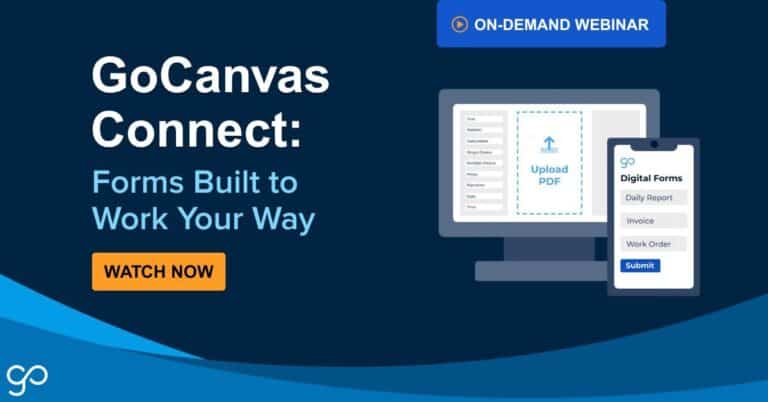
ON-DEMAND WEBINAR

GoCanvas Connect: Forms Built to Work Your Way

We continued the GoCanvas Connect Series with a live session focused on how to build forms that fit your business perfectly. In this on-demand recording, we explore the most popular GoCanvas forms, show you how to customize them for your needs, and demonstrate how custom forms drive efficiency and ROI.

In this session, you’ll learn how to:

  • Customize forms for your specific business needs.
  • Drive efficiency and ROI with tailored form solutions.

Want to watch the session now? Fill out the form to get instant access.

Check out even more resources

Three inspection workers on job site.

The Future of Construction Project Management

Digital tech revolutionizes construction project management, integrating field and office operations for enhanced efficiency…

A man using GoCanvas for the digital transformation of his workflow.

Advanced Project Management for Construction & Trades

In this on-demand webinar, we showcase GoCanvas’ latest product release designed for construction and trade professionals…

Case Design Accelerates Sales Cycles with GoCanvas

Read the case study to find out how Case Design accelerated their sales cycles, improved invoicing, and unlocked cash flow with GoCanvas…

Connect with an Expert Today.

We’ll help you put together the right solution for your needs.

How GoCanvas + Salesforce Integration Simplifies Job Tracking

GoCanvas + Salesforce Integration Feature Image

How GoCanvas + Salesforce Integration Simplifies Job Tracking

| | | | |
GoCanvas + Salesforce Integration Feature Image

For businesses that are growing fast or managing complex operations across teams, keeping job data accurate and up to date can be a serious challenge. Between field teams entering inspection details and office teams working on estimates, quotes, and invoices, it’s easy for information to get stuck in silos. That’s where integrating GoCanvas® with the Salesforce platform can make a real difference.

By connecting these two systems, businesses get a seamless data flow from the field to the office. Estimates, inspections, work orders, and invoices are all linked together in real time, helping teams stay aligned and focused on the job instead of chasing paperwork. The result is improved data management, streamlined processes, and a unified view of business operations.

Let’s say your field team finishes a job and fills out a paper form or a mobile app that doesn’t sync with Salesforce. As a result, someone back at the office has to re-enter that same data to generate an invoice or update a customer record—which takes time, introduces the risk of errors, and delays the entire process. For companies handling dozens or hundreds of jobs a week, these delays add up.

Here’s what can go wrong when systems aren’t integrated:

  • Manual data entry slows down billing and follow-up tasks.
  • Errors in rekeyed data can lead to incorrect invoices or missed updates.
  • Disconnected systems make it harder to respond quickly to customer questions.
  • CRM data in Salesforce becomes unreliable or outdated.
  • Analytics and reporting suffer due to incomplete or mismatched data.

Without a clear connection between field activity and Salesforce CRM data, you’re left guessing what’s been completed, what still needs action, and where the bottlenecks are.

The GoCanvas + Salesforce integration solves these issues by automatically syncing job data between the two platforms. When a crew submits a job form in GoCanvas, it can instantly update the corresponding Salesforce account record. This allows businesses to:

  • Automate data synchronization between Salesforce and external systems.
  • Eliminate double data entry and reduce complexity.
  • Accelerate integration processes using web services and APIs.
  • Enable real-time data capture and analytics.

This integration supports bulk API use cases, streaming API for platform events, and SOAP API scenarios to ensure secure data transfer across systems and applications. Integration with Salesforce becomes seamless, even in complex business logic integration scenarios.

Consider a commercial HVAC company managing multiple service crews across the region. Before implementing GoCanvas and Salesforce, the company relied on paper forms for field reporting and manual updates in Salesforce CRM. Every job required someone in the office to interpret handwritten notes, retype data, and hope nothing was missed.

Once integrated using tools like MuleSoft or other middleware, field crews began using GoCanvas to complete service forms, attach photos, and capture digital signatures. 

Here’s what changed after the integration:

  • Field data from GoCanvas synced directly into Salesforce, eliminating rekeying.
  • Job status updates, photos, and digital signatures were accessible in real time.
  • Middleware tools like MuleSoft supports smooth data integration with legacy systems.
  • Office staff had immediate access to accurate CRM data and customer history.
  • Salesforce analytics tools helped identify trends and improve decision-making.
  • Integration architecture supported data flow between cloud-based and on-premises systems.

Despite these advanced capabilities, the integration setup doesn’t require a full-time development team. GoCanvas supports pre-built integration patterns and secure authentication with development tools to match unique workflows, whether syncing CRM data, triggering process automation, or managing third-party integrations.

This is especially helpful for businesses scaling operations or managing sensitive data across systems and data centers. Whether you’re working with ERP systems, cloud-based apps, or legacy systems, the GoCanvas-Salesforce integration keeps your data flowing in real time and simplifies how you manage business processes.

When your systems are connected, customers benefit. There are fewer errors, quicker updates, and better communication overall. This kind of integration supports a responsive, event-driven architecture where teams can act on data between Salesforce and field systems in real time. With the right tools in place, you can:

  • Trigger notifications automatically when key data changes.
  • Use change data capture to update records across integrated systems instantly.
  • Leverage platform events to coordinate job status, approvals, or escalations.
  • Synchronize customer data across GoCanvas and Salesforce without delay.
  • Improve responsiveness by reducing manual communication between teams.

If you’re looking to streamline job tracking, improve efficiency, and reduce time spent on admin work, take a closer look at what the GoCanvas + Salesforce integration can do. Learn more about integration, and explore how GoCanvas supports Salesforce-specific tools.

Want a hands-on look? Request a demo to see how the GoCanvas + Salesforce integration helps you unify customer data and turn disconnected workflows into smart, automated systems.

About GoCanvas

GoCanvas®, part of the Nemetschek Group, is an all-in-one digital solution that transforms the way businesses connect their office and field teams. Our user-friendly platforms simplify and streamline tasks like scheduling, dispatch, inspections, daily reports, work orders, and invoicing—digitizing paper processes to enhance safety and ensuring maximum compliance with industry standards.

Like a Swiss Army knife for the field, it’s versatile, reliable, and built to handle any task—letting you focus on the work that matters.

Check out even more resources

Three inspection workers on job site.

The Ultimate Guide to Quality Control Inspections

Discover essential steps and best practices for effective quality control inspections. Ensure accuracy, compliance, and efficiency today!

A man using GoCanvas for the digital transformation of his workflow.

Next-Gen Project Management for Construction

In this on-demand webinar, we showcase GoCanvas’ latest product release, which is designed for construction and trade professionals.

A electrician inspecting equipment.

VIP Lighting Gains Business Efficiencies with GoCanvas

See how VIP Lighting streamlined operations and improved efficiency with GoCanvas, improving data collection speed and accuracy.

Connect with an Expert Today

We’ll help you put together the right solution for your needs.

>